
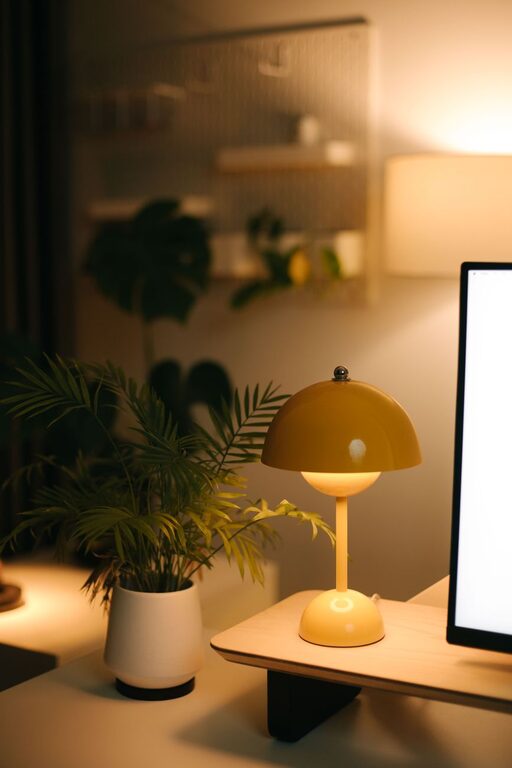
Creating a cozy and functional home workspace is essential whether you work from home full-time or just need a quiet spot to handle personal tasks. A well-designed workspace can boost productivity, reduce stress, and make your workday more enjoyable. This guide will walk you through smart tips to set up a home office that balances comfort and efficiency.
Choose the Right Location
The first step to creating a great workspace is selecting the best spot in your home.
– Quiet and Private: Pick a place with minimal distractions where you can focus. If possible, use a spare room or a quiet corner.
– Natural Light: Position your desk near a window to take advantage of natural light. It helps reduce eye strain and lifts your mood.
– Good Ventilation: Fresh air keeps you alert. Avoid stuffy areas like closets or basements without windows.
If space is tight, consider multifunctional areas like a dining table or a fold-out desk, but try to keep your work zone separate from relaxation areas.
Invest in Comfortable and Ergonomic Furniture
Your choice of furniture affects both your comfort and health.
– Ergonomic Chair: Select a chair that supports your back and encourages good posture. Adjustable height and lumbar support are important features.
– Desk Size: Choose a desk large enough to hold your computer, paperwork, and other tools without feeling cramped.
– Keyboard and Monitor Placement: Keep your monitor at eye level and your keyboard at a comfortable height to avoid strain.
Comfortable furniture reduces fatigue and helps keep your focus sharp.
Organize with Smart Storage Solutions
A tidy workspace helps reduce stress and distractions.
– Shelves and Cabinets: Use vertical space to store books, files, and supplies neatly.
– Drawer Organizers: Keep small items like pens, paper clips, and chargers organized.
– Cable Management: Use cable clips or sleeves to keep cords neat and avoid clutter.
Regularly declutter your space by removing items you don’t use frequently.
Personalize Your Workspace
Adding personal touches makes your workspace inviting and motivating.
– Artwork and Photos: Hang or place images that inspire or relax you.
– Plants: Incorporate greenery to improve air quality and create a calming atmosphere.
– Colors: Use colors that make you feel comfortable and focused. Soft blues and greens are known to be calming, while brighter colors can boost energy.
Remember not to overdo it—too many decorations can become distracting.
Optimize Lighting
Proper lighting is key to reducing eye strain and maintaining alertness.
– Natural Light: As mentioned before, use daylight whenever possible.
– Task Lighting: Add a desk lamp with adjustable brightness to illuminate your work area.
– Ambient Lighting: Soft overhead lighting helps reduce shadows and glare.
Avoid harsh fluorescent lights and position your light sources to minimize glare on your screen.
Keep Technology and Tools at Hand
Having the right tools easily accessible can help your workflow.
– Reliable Internet Connection: Ensure your workspace has strong Wi-Fi or a wired connection.
– Charging Stations: Arrange a spot for charging your devices.
– Essential Supplies: Stock frequently used items like notebooks, pens, and headphones nearby.
Consider wireless devices to reduce cable clutter.
Establish a Routine and Boundaries
Your workspace setup is only part of staying productive. How you use the space matters.
– Work Hours: Define clear start and finish times to separate work and personal life.
– Break Areas: If possible, designate a separate space for breaks away from your desk.
– Minimize Distractions: Use noise-canceling headphones or ambient sound apps if needed.
Creating habits around your workspace complements its physical setup.
Maintain Cleanliness Regularly
A clean environment promotes focus and well-being.
– Daily Tidy-Up: Spend a few minutes at the end of each day to organize your desk.
– Deep Cleaning: Clean surfaces, keyboards, and screens regularly to keep your area hygienic.
Keeping your workspace neat will help you start each day feeling fresh.
—
In summary, building a cozy and functional home workspace doesn’t require a complete overhaul or expensive purchases. By choosing the right location, investing in ergonomic furniture, organizing thoughtfully, and adding personal touches, you can create an environment that motivates and supports you. Remember to prioritize lighting, technology, routine, and cleanliness to maintain a productive and pleasant home office. With these tips, your home workspace can become your favorite and most efficient spot in the house.